Apple Podcasts
You can subscribe to the Steve Dahl show through Apple Podcasts on Mac in two different ways.
From subscribe button
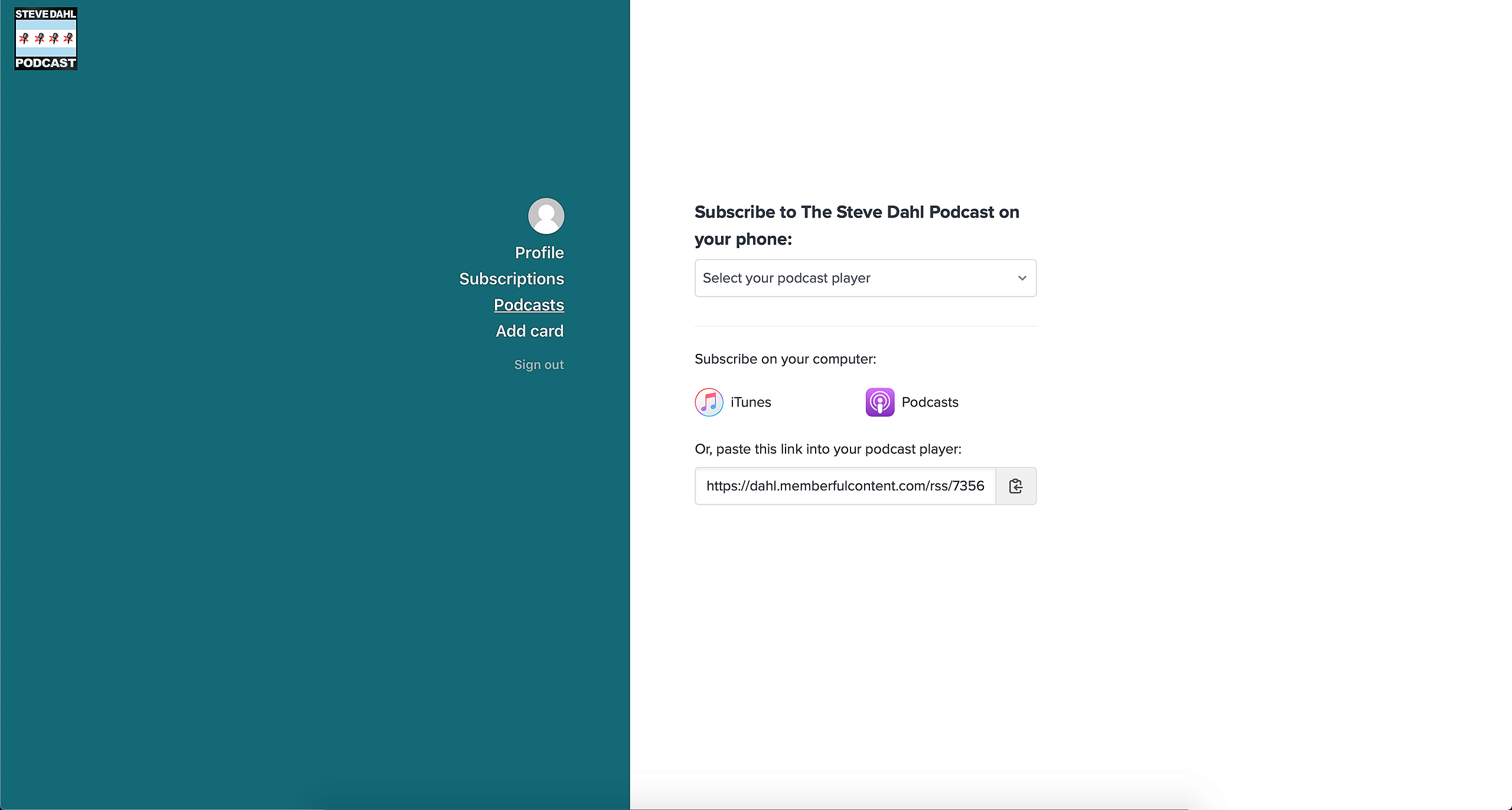
Make sure you are logged into your Steve Dahl Podcast account. Click on the Apple Podcasts button. This will then open the Apple Podcasts app on your Mac. Finally, select “Subscribe”. You will now be able to listen to The Steve Dahl Show on your computer.
From link directly
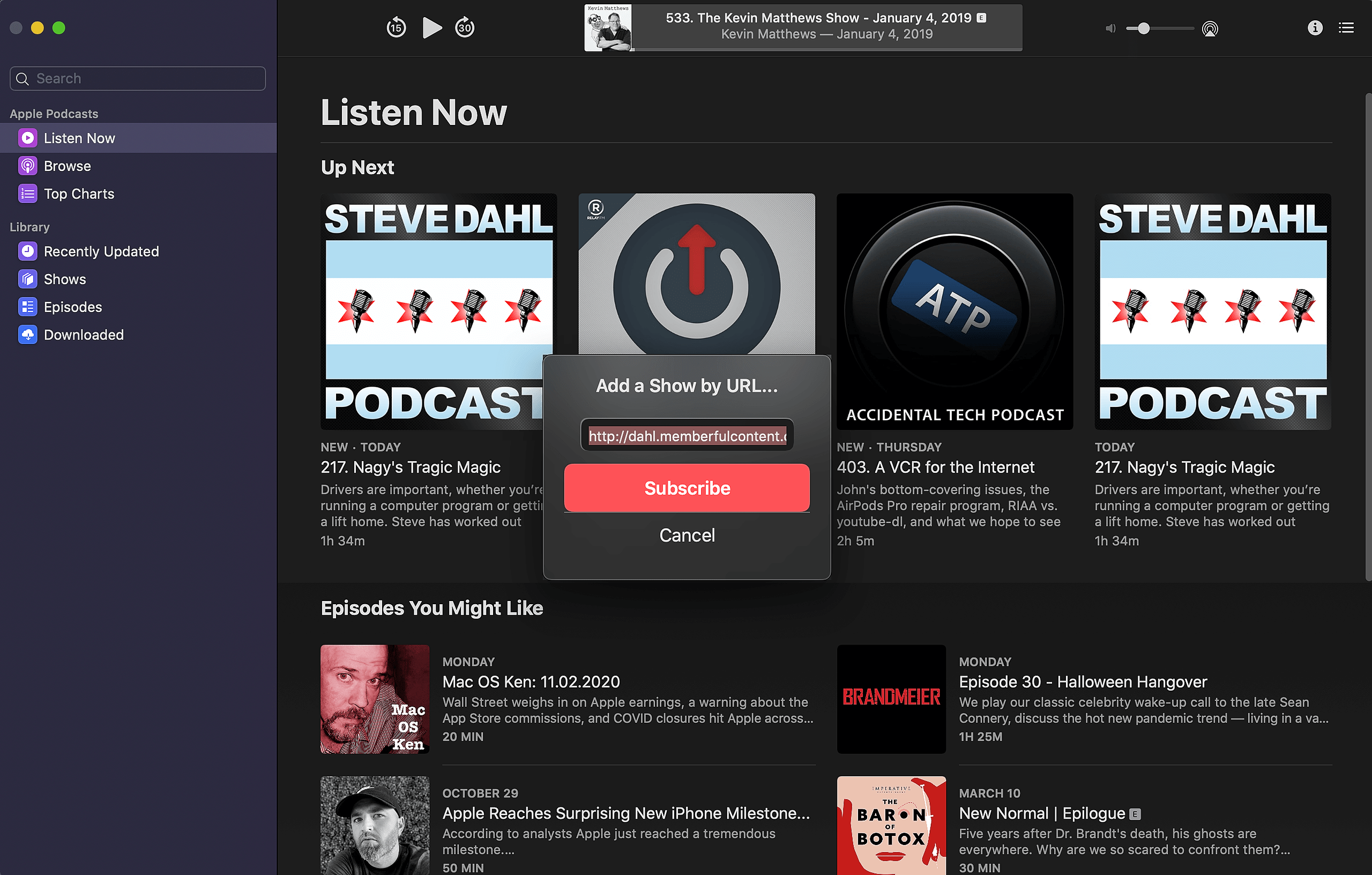
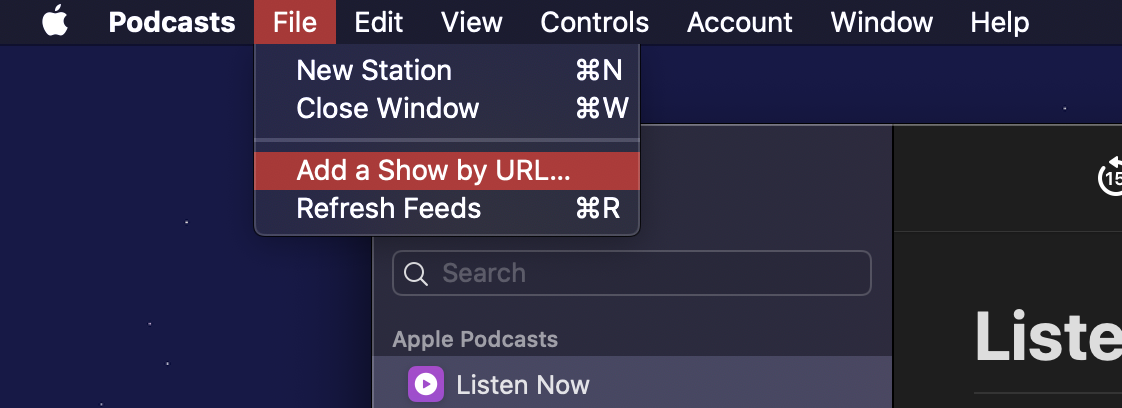
Make sure you are logged into your Steve Dahl Podcast account. Copy the link listed on the page. Select “File” and then “Add show by URL…”. Paste the copied link and click “Subscribe”.
YouTube Music (via your browser)
You must have a YouTube or YouTube Music account in order to continue.
1. Get your private RSS feed URL by logging into the Steve Dahl website and copy the RSS feed link located under "paste this link into your podcast player".
2. Navigate to YouTube Music via your browser.
3. Click Library in the left navigation.
4. Click Podcasts in the top navigation.
5. Click Add Podcast > Add RSS feed.
6. Paste the RSS feed you copied in Step 1 into the box and click Add.
7. Click the refresh button in your browser and you should now see Steve Dahl Podcast in your library.