
There are a few options you can try to fix this issue that will depend on the device and operating system you are using.
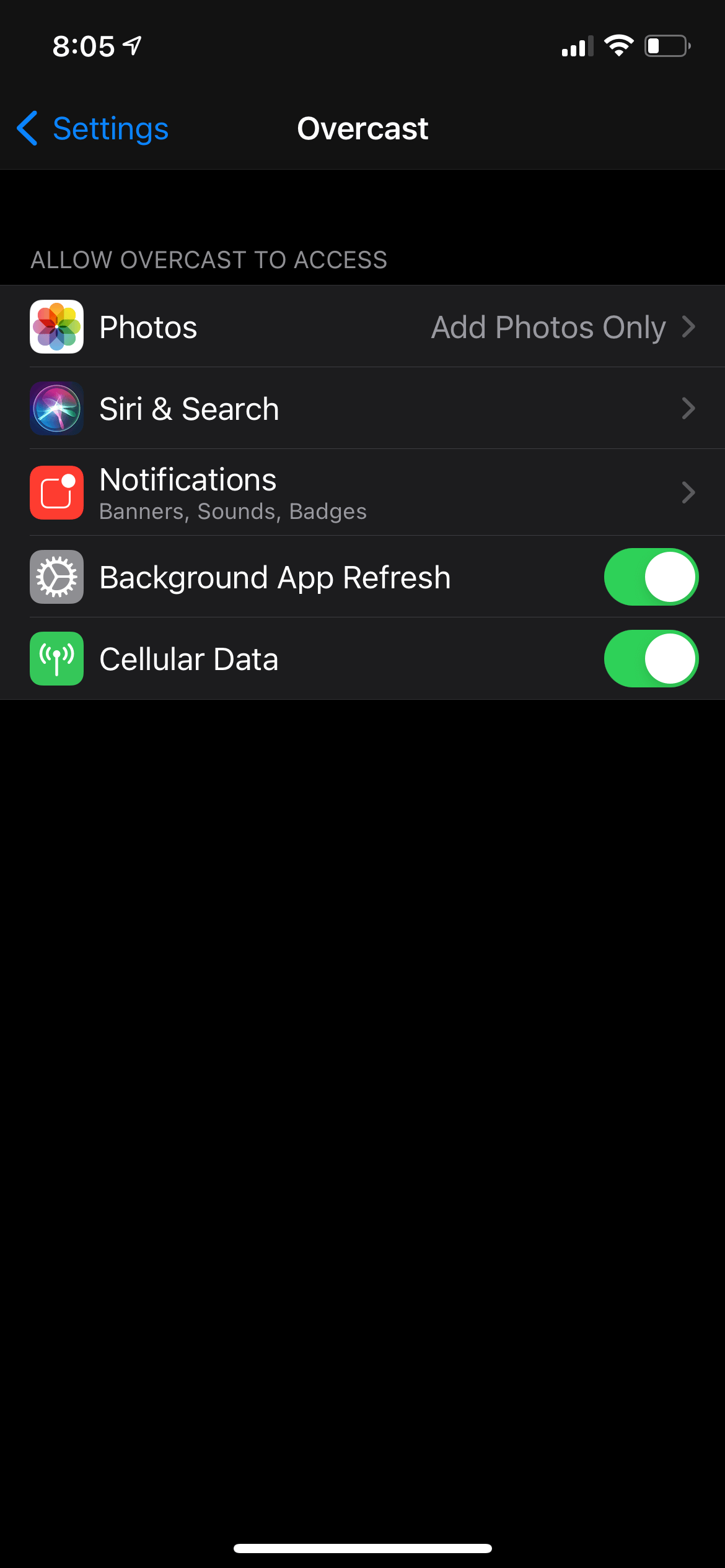
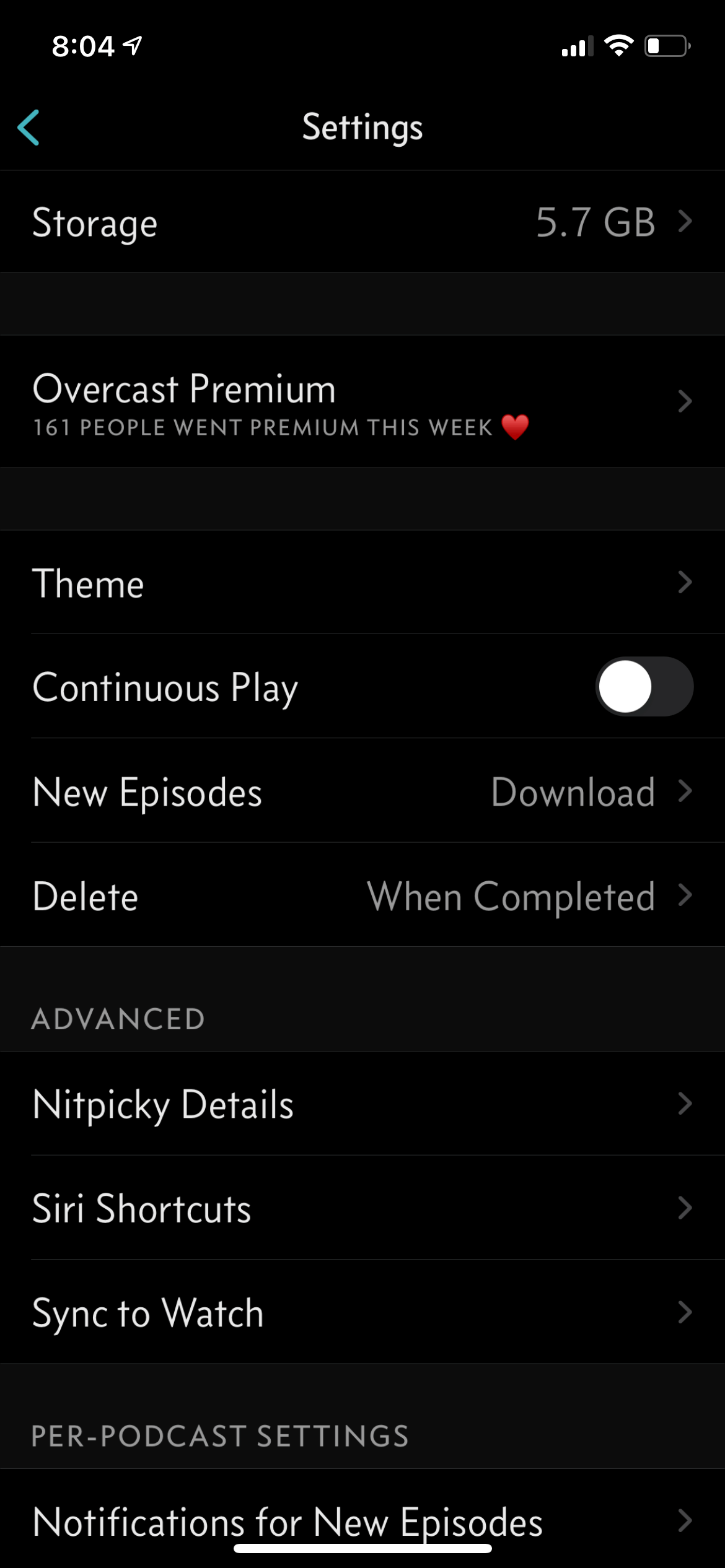
First, make sure you check the settings of your podcast app and your device. You will want to ensure you are allowing background data on your phone and downloading via cellular or WiFi.
As an example, the podcast app Overcast on iOS and Podcast Addict on Android have a setting that allows episode downloads on both cellular and WiFi. You can access this in Overcast in: Settings > New Episodes > Download on WiFi or Cellular.To allow downloads on cellular and background app refresh on iOS, open settings and scroll until you see your podcast app.
Ensure “Background App Refresh” and “Cellular Data” are both turned on.
Try opening your podcast app and swiping down to force a refresh of the newest episode to download. This can sometimes correct the issue.
If you're still seeing delayed episodes, try deleting/removing the podcast from your app completely and resubscribing from your account.
Finally, you can try deleting the podcast app itself and reinstalling it (or a different app). Then try resubscribing from your account.